
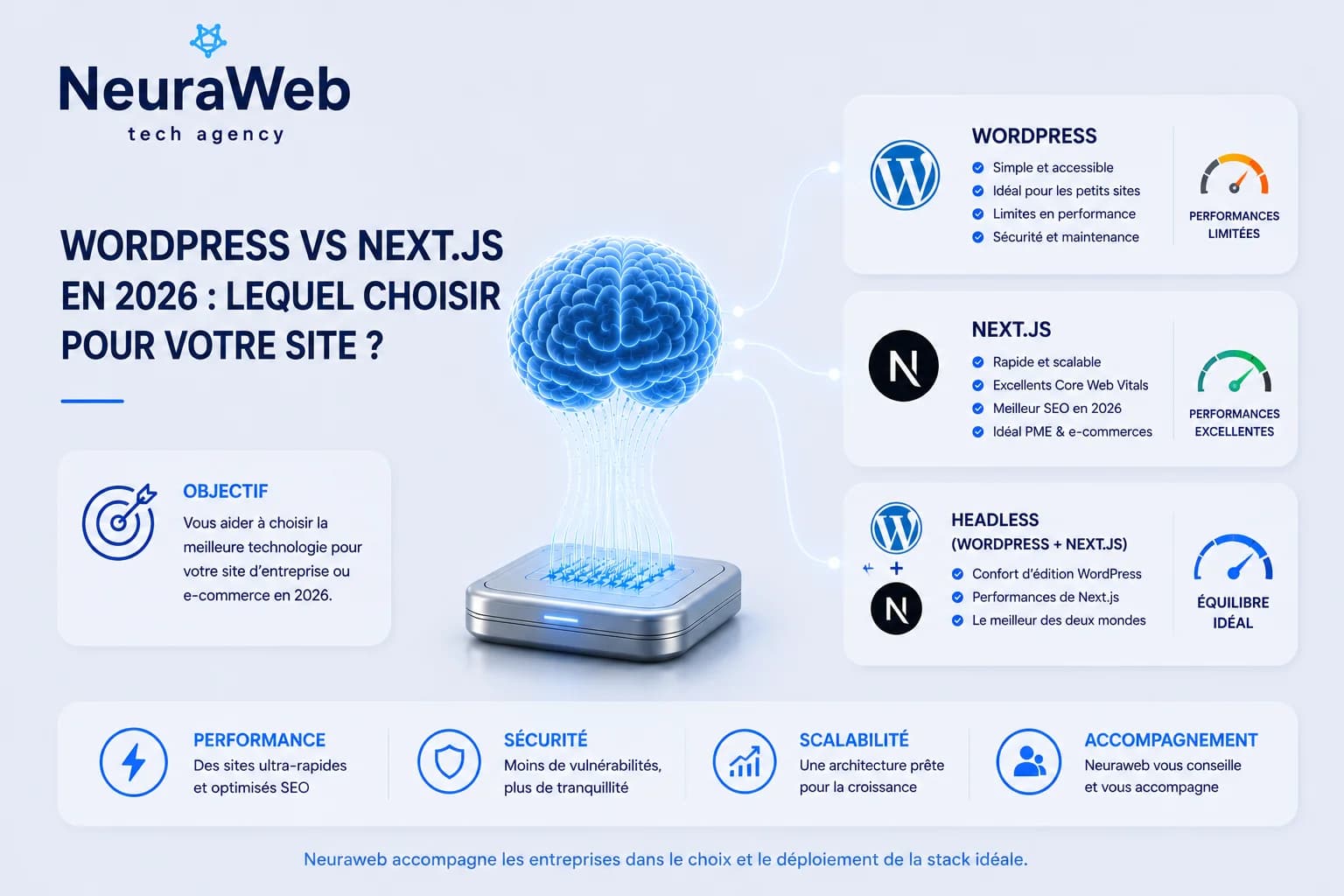
WordPress powers 43% of the web. Next.js powers businesses that want to perform. No-nonsense comparison for 2026: which to choose for your business website, e-commerce, or web application.
WordPress or Next.js for an e-commerce site in 2026?
WordPress or Next.js for an SMB showcase site without an in-house developer?
WordPress or Next.js for a hotel or real estate agency website?
Headless WordPress or pure Next.js: which architecture to choose?
À retenir — Key Takeaways
- Performance: Next.js Core Web Vitals score 87/100 vs 61/100 for WordPress (Web Almanac 2024); LCP 0.9s vs 3.2s
- Security: WordPress = 96% of hacked CMS; 30,000 sites compromised in 2024 via a single popular plugin
- SEO: Next.js with SSG, auto-optimised WebP images and programmatic metadata gives a durable structural advantage
- WordPress: 43% of the web, 7,000+ plugins, ideal without an in-house developer or without critical performance needs
- Next.js: optimal choice for high-traffic e-commerce, hotel sites, SaaS and applications with dynamic data
- Quick choice: WordPress if budget <€3,000 and non-technical team; Next.js if performance, SEO and security are priorities
Market State in 2026
These 2024 figures still accurately describe the situation in 2026. WordPress remains the most used CMS, but Next.js sites are pulling ahead on performance, SEO and security. In 2026, pressure on Core Web Vitals keeps increasing, reinforcing the advantage of Jamstack / Next.js architectures over classic WordPress sites. Let's now analyze the key differences.
Technical Comparison
Performance
| Criteria | WordPress | Next.js |
|---|---|---|
| Average LCP score | 3.2s | 0.9s |
| Average FID score | 180ms | 45ms |
| Average CLS score | 0.18 | 0.04 |
| Average page size | 2.8 MB | 780 KB |
| Build time | — | 30-90s |
These performances aren't anecdotal. Google has used Core Web Vitals as a ranking factor since 2021. An average WordPress site loses positions to competitors on Next.js.
In 2026, Next.js sites remain around 85–90/100 on PageSpeed on average, while classic WordPress often scores between 55–60/100, especially with multiple plugins installed. A 3× faster site has a lower bounce rate and better conversion rate.
Concrete Business Impact: Amazon calculated that one extra second of latency costs $1.6 billion in sales per year. At your scale, a 3× faster site can significantly improve your conversion rate.
SEO
WordPress remains competent on SEO thanks to plugins like Yoast or RankMath. But Next.js has structural advantages:
next/image component automatically optimizes WebP, lazy loading, responsiveFor SEO agencies and site owners, Next.js makes it easier to follow Google best practices (SSG, SSR, optimized images), giving an advantage over classic WordPress sites. Next.js e-commerce sites or headless WordPress benefit from better technical SEO, resulting in more stable positions in search results — whether for "WordPress vs Next.js SEO 2026" or for your sector's key queries.
Security
WordPress is the main target of web attacks for a simple reason: its popularity. With 60,000+ plugins in the ecosystem, each plugin is a potential attack vector.
In 2025, WordPress represented 96% of hacked CMS sites. In 2026, the trend remains identical: WordPress's popularity, combined with 60,000+ third-party plugins, makes it the primary target of attackers. In 2024, 30,000 WordPress sites were compromised through a single vulnerability in a popular plugin.
Next.js is a frontend/full-stack application that doesn't have a comparable attack surface. No exposed database, no admin panel accessible at /wp-admin, no recognizable WordPress files.
Total Cost of Ownership
| Item | WordPress (3 years) | Next.js (3 years) |
|---|---|---|
| Initial development | €3,000 - €8,000 | €5,000 - €15,000 |
| Hosting | €600 - €3,600 | €600 - €2,400 |
| Premium plugins | €300 - €1,200 | €0 |
| Maintenance / updates | €1,800 - €5,400 | €600 - €1,800 |
| Security incidents (average) | €800 - €4,000 | ~€0 |
| Estimated Total | €6,500 - €22,200 | €6,200 - €19,200 |
Over 3 years, Next.js remains more cost-effective for medium-large projects, even in 2026. Savings come from reduced maintenance, no premium plugins and near-zero security incidents, against a higher initial investment.
When to Choose WordPress?
WordPress remains relevant in specific contexts:
✅ Very limited budget (< €2,000) with need for quick launch
✅ Non-technical team that must manage content autonomously
✅ Simple editorial blog with few custom features
✅ Migration from existing WordPress site with lots of content
Outside these cases, WordPress often generates more hidden costs than it saves.
When to Choose Next.js?
Next.js is the natural choice for:
✅ Business websites that want to perform on Google
✅ E-commerce (via Shopify Storefront API or WooCommerce headless)
✅ High-traffic sites (> 10,000 visitors/month)
✅ Web applications with interactive features
✅ Projects with AI integration or third-party APIs
✅ Competitive sectors where technical SEO makes the difference
The Special Case of Headless CMS
A third path exists and deserves mention: WordPress headless.
The idea: use WordPress only as a CMS back-office (where it excels) and serve the frontend via Next.js (where it performs). You benefit from the familiar editing interface + Next.js performance.
Typical Stack:
``
WordPress (headless) → REST API or GraphQL → Next.js frontend
For companies that already have a lot of WordPress content but want Next.js performance, headless WordPress is an excellent solution. It's a strategy we often recommend to our clients to combine editorial simplicity with site speed.
What We Recommend at NeuraWeb
Here are the recommendations we apply at NeuraWeb for our clients in France and Europe. After dozens of projects completed with both stacks, our recommendation is systematic:
| Project Type | Our Recommendation |
|---|---|
| SMB showcase site | Next.js (Starter Pack) |
| E-commerce | Next.js + Stripe |
| Blog + business site | Next.js + headless CMS (Sanity or Contentful) |
| Web application | Next.js + Node.js |
| Budget < €2k, urgent need | WordPress with lightweight theme |
Most projects benefit from Next.js. And the performance gap with WordPress will only widen as Google strengthens its Core Web Vitals criteria. To see how we implement these Next.js stacks, discover our Web Development offer for SMBs.
Conclusion
WordPress is a formidable tool for what it was designed for: accessible content management. Next.js is the 2026 tool for building high-performing, secure, and scalable business websites.
Choose based on your context, not trends. But if you're building something that needs to perform long-term — Next.js is the obvious choice. Once your stack is chosen, discover how to turn your site into a lead-generation machine with 7 AI building blocks.
---
Further Reading
If you're still hesitating between WordPress and Next.js, these articles will help you see things more clearly:
💻 Hesitating between the two? NeuraWeb performs a free audit of your project to recommend the most suitable stack for your context and budget. Let's talk →
FAQ
Is Next.js really better than WordPress for SEO?
Yes. Next.js has structural advantages: SSG-pre-generated pages (crawled instantly), SSR for dynamic content, programmatically consistent metadata, and automatic image optimization. Average Core Web Vitals score of 87/100 vs 61/100 for WordPress.
What is the cost of a Next.js site compared to WordPress?
Over 3 years, Next.js costs less for medium to large projects: 6,200 to 19,200 EUR vs 6,500 to 22,200 EUR for WordPress. Savings come from reduced maintenance, no premium plugins, and near-zero security incidents, despite a higher initial investment.
Can you easily migrate from WordPress to Next.js?
A full migration requires a redesign and content migration. The intermediate option is headless WordPress: keep WordPress as the back-office CMS and serve the frontend via Next.js. You keep the familiar editing interface while gaining modern architecture performance.
Is WordPress really a security risk?
WordPress represents 96% of hacked CMS sites every year. In 2024, 30,000 sites were compromised through a single vulnerability in a popular plugin. Next.js has no comparable attack surface: no exposed database, no accessible /wp-admin, no 60,000 third-party plugins as attack vectors.
Which stack should an SMB without an in-house developer choose?
If the budget is under 2,000 EUR or a non-technical team needs to manage content independently, WordPress is still relevant. For an SMB that wants to perform consistently on Google, Next.js with a headless CMS (Sanity, Contentful) is the best long-term choice.
Headless WordPress vs pure Next.js: what is the best choice in 2026?
For companies that already have a lot of WordPress content, headless WordPress is an excellent intermediate solution: you keep the familiar editing interface while benefiting from Next.js performance. For new projects without migration constraints, pure Next.js with a headless CMS (Sanity, Contentful) remains the optimal choice in 2026.
WordPress or Next.js for a hotel or real estate agency website?
For a hotel or real estate agency website, we generally recommend Next.js or headless WordPress. These sites need speed, technical SEO and security. Classic WordPress works for very simple projects but quickly falls behind on performance and Core Web Vitals, which are increasingly decisive for Google rankings.